Input fields Link to this section
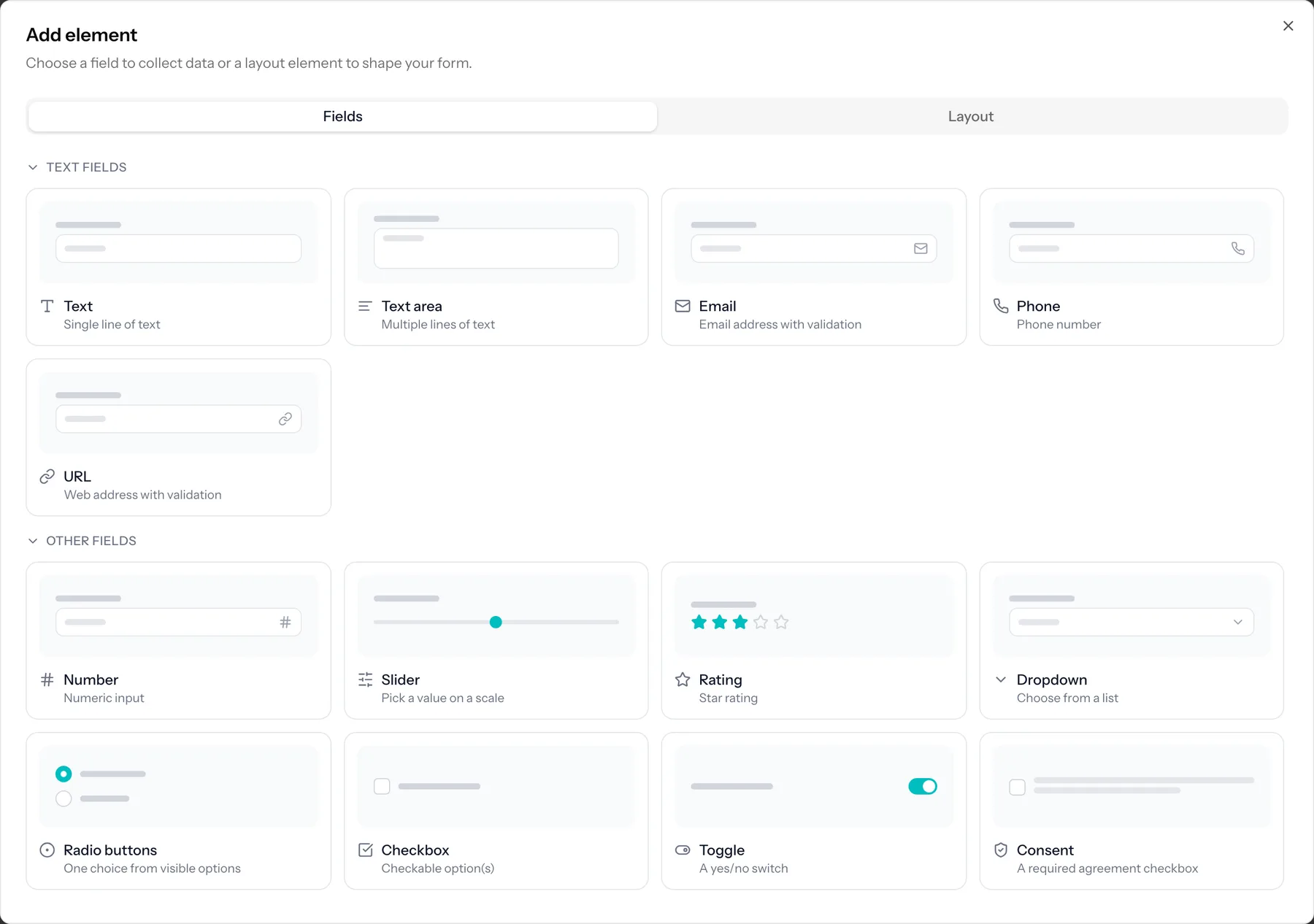
Input fields collect data from the people filling in your form.
| Field | Use it for |
|---|---|
| Text | A single line of text, such as a name or reference. |
| Long text | A multi-line answer, such as a comment or message. |
| An email address, validated as you type. | |
| Telephone | A phone number. |
| URL | A web address. |
| IBAN | A bank account number. The check digits are verified, so a mistyped number is caught while you can still ask. |
| Number | A numeric value. |
| Slider | Pick a number on a range by dragging. |
| Rating | A star-style rating. |
| Select | A dropdown to pick one option from a list. |
| Radio group | Pick one option, with all choices visible. |
| Checkboxes | Pick several options from a list. |
| Toggle | A simple on/off switch. |
| Consent | A checkbox with disclaimer text, for agreements and permissions. |
| Date | Pick a date. |
| Time | Pick a time. |
| Date and time | Pick a date and a time together. |
| Signature | Capture a drawn signature. |
| File upload | Let respondents attach a file. |
| Repeater | Let respondents add multiple rows of a small set of fields. Every field in the row needs its own label, which is what respondents see above each input. |
| Ranking | Give a list and let respondents put it in their order of preference. |
Part of the Pro and Business plans
Ranking, Signature, IBAN, Slider, Rating and Repeater need a paid plan, as does showing a choice as pictures. File upload has its own plan requirement. On the Free plan they stay visible in the picker with the plan named, and a form that already uses one keeps working; publishing is where the plan is enforced.
Field macros Link to this section
Macros add a group of related fields in one step, so you do not have to build common patterns by hand.
- Address: street, city, postal code and country.
- Name: first name and last name.
- Time slots: a question filled with appointment times, each with its own number of places.
Layout items Link to this section
Layout items structure and decorate your form. They do not collect any data.
- Headings (levels 2 to 4) and rich-text paragraphs.
- Images and embedded video (YouTube and Vimeo).
- Dividers and spacers for visual rhythm.
- Page breaks to split a long form into multiple pages.
Pictures and time slots Link to this section
A radio group or a set of checkboxes can show its options as pictures instead of rows. Turn on "Show options as pictures" in the question's settings and give each option an image. Everything else about the question is unchanged: prices, limits and conditions per option keep working, and an option without a picture simply shows its label.
Time slots are not a question type of their own. They are an ordinary choice whose options happen to be times, generated for you: pick a day, a start and end time, how long one slot lasts and how many people fit, and TinyForms fills the list. Because they are ordinary options, the per-option limit, the "spots left" counter and the waiting list all apply to them.
Slots add up
Generating a second run adds to the list instead of replacing it, so a Saturday morning and a Saturday afternoon can live in one question.